
What is the difference between user mode and kernel mode?
Interview preparation resource from Gate Smashers.
User mode runs applications with restricted privileges, while kernel mode allows the operating system to execute privileged instructions and control hardware. A controlled trap, interrupt or exception moves execution into the kernel.
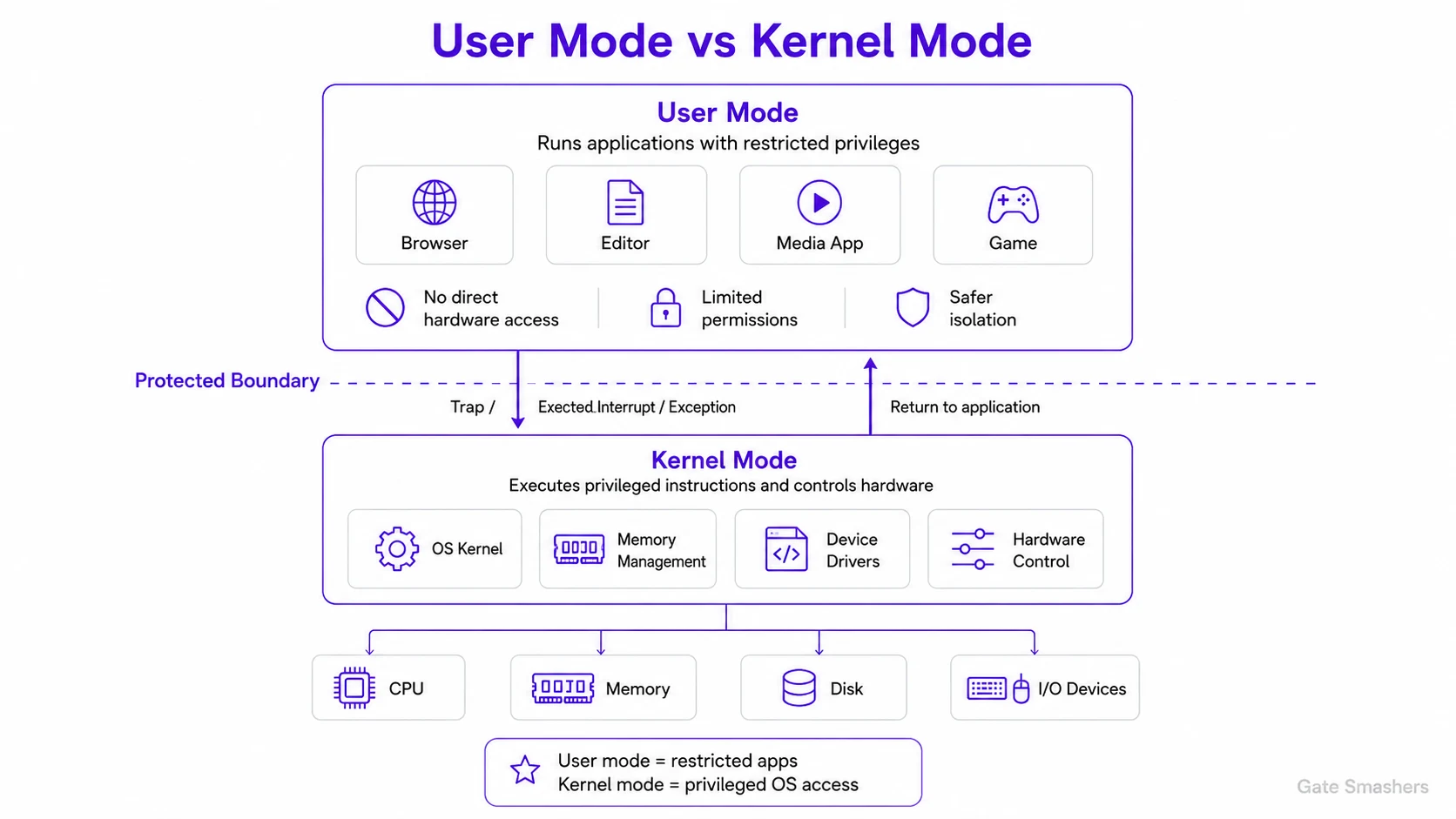
Modern processors provide privilege levels so an ordinary application cannot directly change page tables, disable interrupts or access devices. This restriction limits the damage caused by a faulty or malicious program.
When an application needs a protected service, it makes a system call. The CPU switches to kernel mode at a predefined entry point, the OS validates the request, performs the operation and returns to user mode. Kernel failures are more serious because the kernel is shared by the whole system.
For example, a text editor may request that a file be saved, but it cannot write arbitrary disk sectors itself. It enters the kernel through a system call, the kernel checks the request, performs the protected operation and then returns control to the editor in user mode.